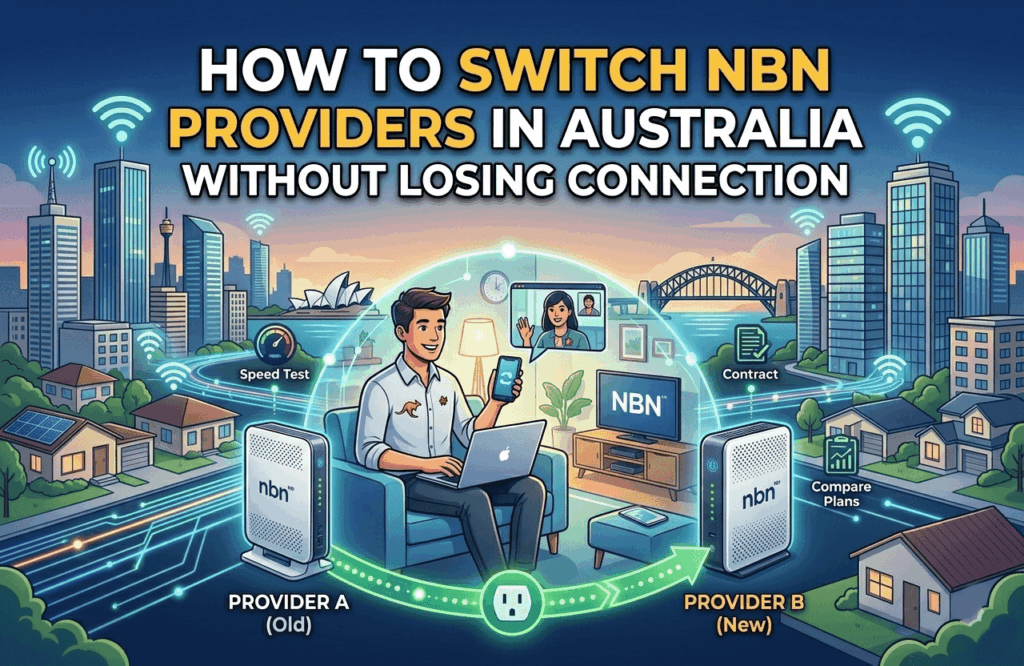

How to Switch NBN Providers in Australia Without Losing Connection

In 2026, switching NBN providers is a digital “handshake” that usually happens in the background. While the process has become incredibly fast—often taking less than 15 minutes—doing it in the wrong order can still leave you offline for days.
Here is the step-by-step guide to a seamless switch without the “no-internet” headache.
Get a budget deal
1. The Golden Rule: Don’t Cancel First
The biggest mistake Australians make is calling their old provider to cancel before signing up with a new one. In 2026, the NBN uses an automated “churn” process.
- Find your new plan: Sign up with your new provider first.
- Provide your address (or AVC ID): Your new provider will identify your connection and send a request to NBN Co to “pull” the service over.
- The Switch: On the day of the transfer, your internet will drop for about 1 to 15 minutes while the digital “wires” are swapped.
- Confirm and Cancel: Once your new service is live, call your old provider to ensure they’ve closed the billing account. (Many do this automatically, but it’s worth a 2-minute call to avoid double-billing).
2. How to Time Your Switch Perfectly
To avoid a gap in service or paying for two plans at once, timing is everything.
- Check Your Contract: Most 2026 NBN plans are month-to-month, but some “6-month discount” deals have exit fees or require you to pay out the remaining cost of a “free” modem.
- Mid-Week is Best: Aim to switch on a Tuesday or Wednesday morning. If there’s a rare technical glitch with the NBN port, you’ll have a technician available during business hours to fix it. Avoid Friday afternoons—if it breaks, you might be offline all weekend.
- The “Billing Cycle” Hack: Most providers bill in advance. Try to switch 2–3 days before your next bill is due. This ensures you’ve used what you paid for but doesn’t leave you waiting long for your final pro-rata refund.
3. What Happens to Your Modem?
In 2026, most hardware is “unlocked,” but there are two paths you can take:
- Path A: Bring Your Own (BYO): If your current modem is less than 3 years old, it will likely work. You’ll just need to log into the modem’s settings and update the “username” and “password” to the ones provided by your new retailer.
- Note: Telstra and Optus modems with “4G Backup” usually lose that backup feature the moment you switch to a different brand.
- Path B: The New Tech Upgrade: If you are moving to a high-speed plan (NBN 250+) in 2026, your old modem might be a “bottleneck.” Many new plans now include Wi-Fi 7 routers for $0 if you stay for 12–24 months. If your current Wi-Fi struggles to reach the back bedroom, a switch is the perfect time to upgrade your hardware.
Frequently Asked Questions
Do I need a technician to visit my house to switch?
If you are staying at the same address and not changing technology (e.g., staying on HFC), a technician is not required. The switch is done entirely via software. However, if you are upgrading from FTTN to FTTP (Full Fibre) during the switch, a technician will need to visit to install the new fibre box.
Will my home phone number stay the same?
Yes, but you must tell your new provider you want to “port” your number before the switch happens. If you cancel your old service first, you may lose that phone number forever.
How long does the actual downtime last?
For most 2026 switches, the downtime is between 2 and 20 minutes. Once your old modem stops working, you simply plug in the new one (or update the settings on your old one), and you should be back online.